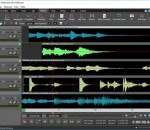
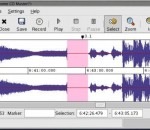
MixPad Free Multitrack Music Mixer and Audio Recorder for Windows allows you to access all of the audio tools needed to create professional mixes and recordings. You can record single or multiple tracks. Add effects to your sound clips such as EQ, reverb, and more. When you are done mixing your audio, output the file to mp3, CD, or many other file formats. MixPad Free supports VST plugins to add additional effects.
Recording in disk-at-once mode writes the complete disc, i.e. lead-in, one or more tracks and lead-out, in a single step. The commonly used track-at-once (TAO) mode writes each track independently which requires link blocks between two tracks. Older CD-recorder models forced a two second pause (pre-gap) between two tracks whereas newer models allow adjusting of the pause length in TAO mode reducing the number of link blocks to a minimal amount.
High-quality CD burning software. Makes almost all video and audio formats and many others into a CD. Burn CDs from AVI, MPEG, WMV, DivX, MP4, H.264/MPEG-4 AVC, RM, MOV, XviD, and 3GP video and many other video formats. Burn CDs from MP3, WMA, WAV, AAC, FLAC, OGG, AP and many other audio formats. Not only burning to a Music CD, MP3 CD and WMA CD are also available.
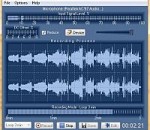
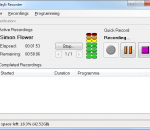
Steady Recorder is a digital audio recorder for Windows. It allows you to record, play, edit and save any audio from your sound card. This is the suitable software if you do not know when an interesting song will begin. You can choose the loop mode to keep the last few minutes of recording or the continuous mode for recording during few hours.
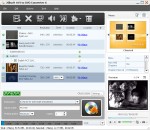
Xilisoft AVI to DVD Converter can convert AVI, MPEG, VOB, DAT, M2V, MPG video files to DVD disc, DVD folder or ISO file, which is compatible with popular DVD disc formats like DVD-R, DVD+R, DVD-RW, DVD+RW, DVD+R DL, DVD-R DL, DVD-5 and DVD-9. The AVI to DVD converter helps you create your own DVD movie by creating DVD menu, clipping video, adjusting video effect, adding audio tracks and subtitles.
This software offers a solution to users who want to play a playlist of video files with custom audio files playing in the background. The user simply adds the required video files or an entire folder. There is a check box to start each video at a random point in its playtime. Play options are: to play 1 video full screen, to play 1 video in a sizeable screen, to play a user specified number of videos at once.
Programme audio recordings with the easy-to-use interactive schedule. Start recordings manually using the Quick Record button. Record to WAVE or MP3. Clean up recordings after a specified number of days or when disk space is running low.
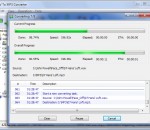
WAV to MP3 Converter is a fast, straightforward yet FREE WAV to MP3 Converter which converts WAV to MP3.
Making Blackberry ringtones can be easily done with 4Media Blackberry Ringtone Maker by converting music/video files of AVI, MPEG, WMV, DivX, MP4, H.264/AVC, AVCHD, MKV, WMA, WAV, M4A formats to MP3 files. The Blackberry ringtone creator can make the ringtone transferred to your Blackberry mobile phone memory card directly after converting to MP3 ringtone, which saves time and trouble greatly.
It uses ImgBurn to create an image of your disc then burn it to a new disc. There is some options like: verify, eject, shutdown the computer. It can save the settings in the registry or in an ini file, even in a batch file. This software does not need installation, copy it anywhere you want then go in the settings to create a shortcut on your desktop. It is bilingual and you can add your own custom languages.
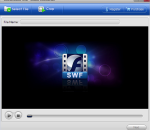
SWF converter is a handy utility tool capable of converting all SWF source files including SWF games to a wide range of video files, for instance, SWF to WMV, SWF to FLV, SWF to MOV, SWF to 3GP and so on. Besides, it also allows users to play SWF videos on most popular media gadgets by converting SWF to iPhone video, SWF to iPod video, SWF to PSP video, etc. Furthermore, users can extract images from SWF file and save as PNG, GIF, JPG, etc.